

Notes we’d send a friend
Updates from projects we're working on and lessons we're learning.
Sent when there's actually something to say.

Your website isn't for you. If you think it is, you're setting yourself up to fail.
Anyone can have a website now. Your neighbor has one, that guy selling essential oils on Instagram has three, your grandmother probably has a Wix site for her book club. But here's the question nobody asks: why do you actually have a website?
Your website is your digital storefront. Aesthetics matter, but the way it's structured determines whether people find you, stay, or leave within seconds. A well-organized site structure improves user experience and helps search engines find your pages, which matters if you want clients to discover you instead of your competitor.
Let's talk about why website structure matters, the mistakes that kill your traffic, and what works.
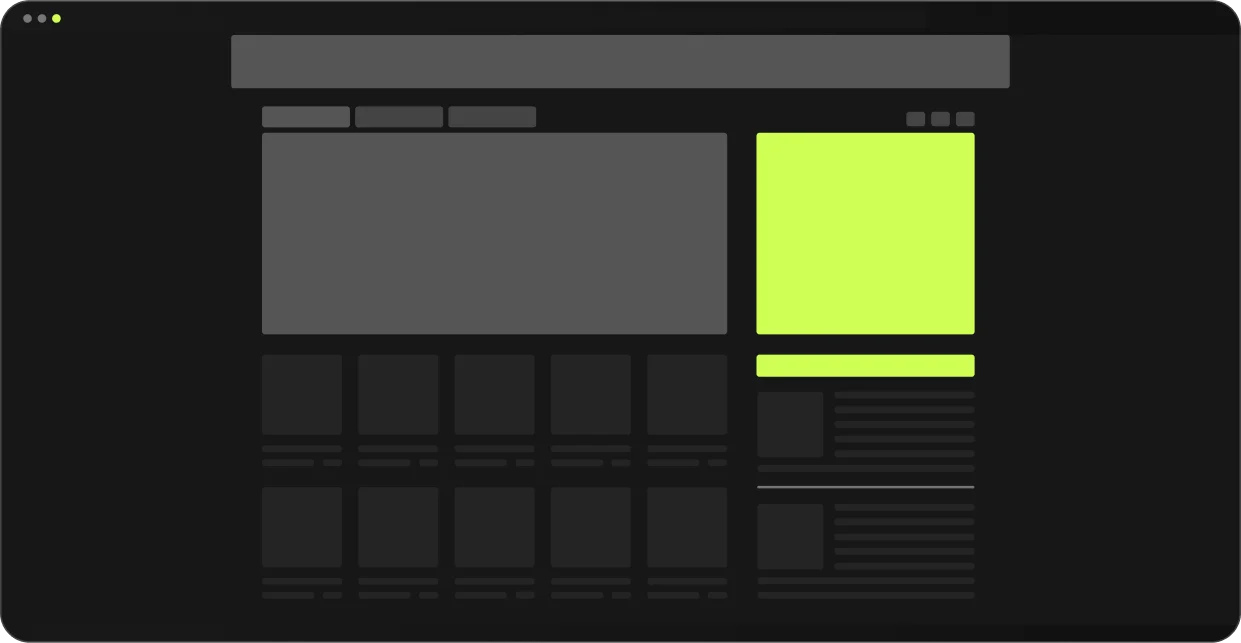
Website architecture isn't sexy. It's not what clients get excited about in pitch meetings. But it's the foundation everything else sits on, and here's why it matters.
Search engines use bots to crawl websites. A clear, flat structure ensures these bots can efficiently index your pages, which leads to better visibility in search results and more clicks from people who actually matter. If your important pages are buried five clicks deep or not linked from anywhere, Google's not finding them. And if Google can't find them, neither can your potential clients.
Visitors navigate your site looking for specific information, and when they can't find it, they leave. A poor user experience causes people to bounce, but a seamless one leads to longer visits, better engagement, and higher conversion rates. Google notices this too.
Proper internal linking within a hierarchical structure helps distribute page authority across your site, boosting SEO across the board. So when you're building that product page, link it to your best-selling items and share the traffic.

Even with good intentions, structural mistakes can wreck your site's performance. Here's what we see constantly.
Whether you're on WordPress, Webflow, or Wix, clean up those extra template pages. Those pages can still show up in search results, slow your site down, and dilute your SEO efforts. It's sloppy and it tells Google your site isn't maintained.
Meta descriptions give search engines and users a summary of your page content. They influence click-through rates and are prime real estate for keywords. Alt text helps when images don't load and plays a major role in image search optimization. Skipping these is leaving money on the table.
Here's one we hear all the time: "I don't want pixelated images, I want crisp high-quality visuals." Sure, but your 8MB hero image is crashing mobile browsers and destroying your page speed. You don't have to compress everything into oblivion, but optimizing images is Web Design 101. Faster load times improve user experience and SEO rankings.
We had a client whose homepage was loading in 12 seconds on mobile because of uncompressed images. Users were bouncing before the page even loaded. We optimized their images and restructured their media library. Load time dropped to 2.8 seconds and bounce rate went from 76% to 34% in three weeks.
Not every website needs to feel like an Apple product launch. We've seen nursing homes with aggressive scroll animations that make you dizzy, sites where you need a high-end gaming rig just to click a contact button, buttons that spin on hover like it's still 2009. Animations can enhance experience, but if they're making your audience nauseous or hiding your content, you've already lost them.
Designing a website based on what you like instead of what your audience needs creates a disconnect. It reduces engagement, hurts conversions, and kills your business. Think about your clients, not yourself.

If you want a website that performs, here's what to focus on.
Organize content clearly and group related topics together. This helps users and search engines understand the flow of your site, like highway signs that don't make people guess where they're going. Most successful sites use a hierarchical structure with the homepage at the top, category pages beneath it, and individual pages or posts under those categories. Keep it simple.
Use descriptive, keyword-rich URLs, not something like mysite.com/page?id=12947aHs. Create clear navigation menus that guide users with intention. Show them where to go instead of making them hunt for the exit.
Your site will be visited on a phone first, not a laptop. Most of your traffic is coming from mobile devices, so responsive design isn't a "nice to have" anymore. Google's mobile-first indexing prioritizes your mobile version for rankings. If your site isn't mobile-optimized, you're already behind.
Set reminders and check in regularly. Remove outdated content, fix broken links, update your portfolio. Treat your website like you'd treat your physical storefront because it is your storefront.
Use compression tools to reduce file sizes without sacrificing quality. Your images will still look good and your site will load faster. Animations are fun and show skill, but do they help the user? If not, simplify. If yes, use them strategically.
Test your site's performance, navigation, and engagement. See what people love, see what they skip, and learn from it. Tools like Hotjar, Google Analytics, or even basic user feedback will tell you everything you need to know.
Website structure is the backbone of your online presence. By avoiding common mistakes and following these best practices, you create websites that don't just look good, they perform. They connect with your audience, they rank, they convert.
Make structure a priority. Help your audience find what they need and make sure they enjoy the experience while they're there. When in doubt, work with people who know what they're doing.
Don't gamble with your business. Don't lose traffic because of bad code, missing alt text, or a wild idea involving a 3D wine bottle animation that serves no purpose.
Need help figuring out where your site stands? Let's talk. We'll audit your structure and show you exactly what's holding you back.
Your website is likely slow due to unoptimized images, too many plugins, poor hosting, or excessive HTTP requests. Large image files are Web Design 101 — compress them without sacrificing quality. Too many elements on a page increase load time. Tools like PageSpeed Insights can pinpoint the exact issues. Faster load times improve user experience and SEO rankings, which directly impacts whether people stay or leave.
SEO starts with site structure, not after launch. Use descriptive URLs like /services/web-design instead of /page?id=12947aHs. Add meta descriptions and alt text to every image — they influence click-through rates and image search optimization. Organize content with a clear hierarchy and internal linking to distribute page authority. Search engines use bots to crawl your site, so a flat, well-structured site ensures they can index your pages efficiently.
Most successful sites use a hierarchical structure: homepage at the top, category pages beneath it, and individual pages under those categories. Keep it simple. Important pages shouldn't be buried five clicks deep or they won't be found by Google or your clients. Clear navigation menus guide users with intention and help search engines understand your site's flow. Think highway signs, not guessing games.
Yes. Most of your traffic comes from mobile devices. Google's mobile-first indexing prioritizes your mobile version for rankings, so if your site isn't mobile-optimized, you're already behind. Responsive design isn't optional anymore. Your site will be visited on a phone first, not a laptop. Test it, fix it, and make sure buttons, forms, and images work perfectly on smaller screens.
Yes. Most of your traffic comes from mobile devices. Google's mobile-first indexing prioritizes your mobile version for rankings, so if your site isn't mobile-optimized, you're already behind. Responsive design isn't optional anymore. Your site will be visited on a phone first, not a laptop. Test it, fix it, and make sure buttons, forms, and images work perfectly on smaller screens.
Unclear value propositions, missing CTAs, poor navigation, and slow load times kill conversions. If your homepage says vague things like "We offer business solutions," users bounce. Be crystal clear about what you do and who it's for. Visitors won't stop to ask questions — they'll silently leave. Add strong calls to action like "Get a Free Quote" and make your contact page impossible to miss.
Regularly. Set reminders to remove outdated content, fix broken links, and update your portfolio. Treat your website like your physical storefront because it is your storefront. Outdated sites with extra template pages still showing up in search results look sloppy and tell Google your site isn't maintained. Fresh content and regular maintenance improve performance and user trust.
Unoptimized images use massive server resources. That 8MB hero image is crashing mobile browsers and destroying your page speed. Use compression tools to reduce file sizes without sacrificing visual quality. Your images will still look crisp, and your site will load in 2-3 seconds instead of 12. Faster load times improve user experience, reduce bounce rate, and boost SEO rankings. It's non-negotiable.
Updates from projects we're working on and lessons we're learning.
Sent when there's actually something to say.